Guest users can access individual reports through a secure link they receive by email.
When you invite a guest to access a report, you can decide to grant them access to specific parts of the report (follow this link to learn how to invite a guest user). Just tick the appropriate sections you wish to share with the guest user.
If you already invited the user to view the report but forgot to grant them access to writing rights in the Notes section, you can edit the permissions afterwards to add that feature.
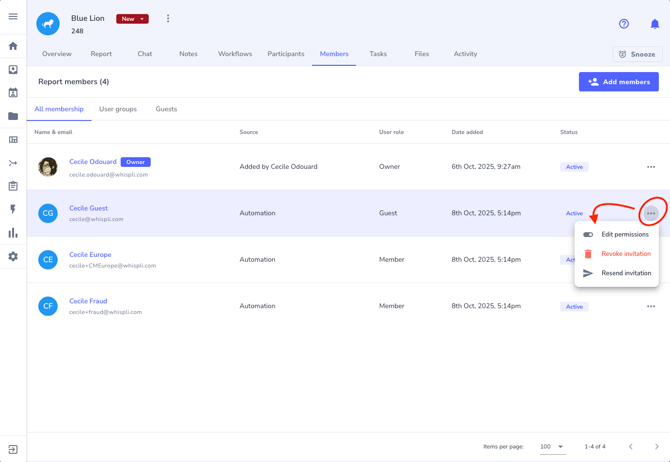
In the 'Members' tab of the report, find the guest and click on the three dots at the end of the row, then select 'Edit permissions'.
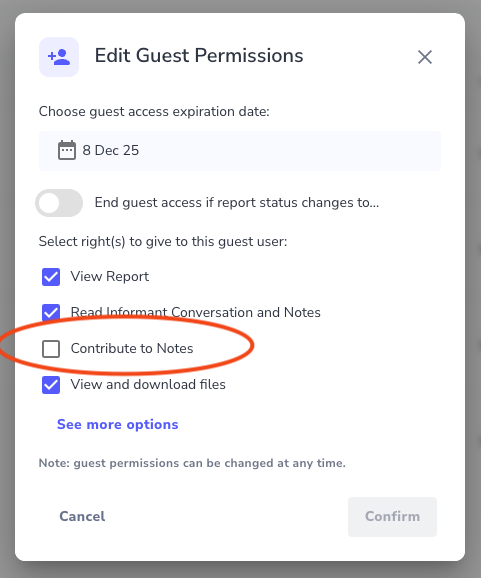
It opens a pop up window where you can just click on 'Contribute to Notes' to allow the guest user to post messages and files in the Notes section: