
Before you start
- Repeaters are available in channels and workflows. They are not available in unstructured channels.
- Plan the subfields first. A repeater can hold up to 20 subfields, and a person can add up to 20 entries.
- A repeater cannot contain another repeater.
Steps
- Open the form builder of the channel or workflow.
- Add a question, or change the type of an existing one.
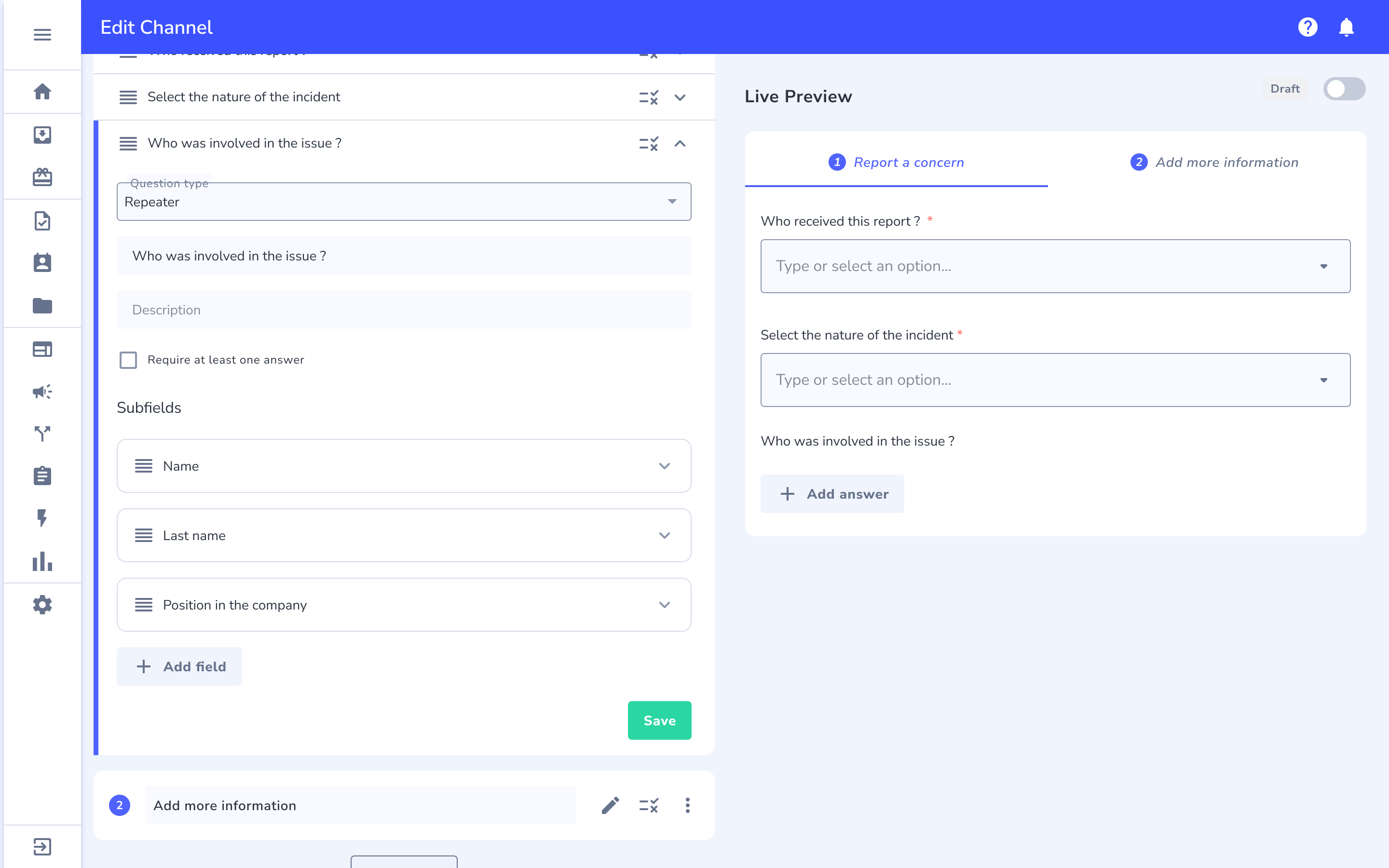
- In the question type dropdown, choose Repeater.
- Enter the question name. Add a description if you need one.
- In the Subfields section, select Add field.
- Choose the subfield type, enter its name, and add any options it needs, such as answers for a multiple choice question. Repeat for each subfield.
- To force at least one entry, select Require at least one answer.
- Mark at least one subfield as required if you selected Require at least one answer. Otherwise Whispli shows "Select at least one repeater subfield as required".
- Optionally add display logic to show or hide the whole repeater.
What happens next
- The live preview shows the repeater. If it is not required, the preview shows only the Add answer button. If it is required, it shows one entry with each field in order.
- People add up to 20 entries. Each entry holds the subfields you defined.
- Repeater answers appear in the report PDF export and in the channel and workflow CSV data export.
- In channels, the repeater name and subfield text appear in the bundle translations, and you can translate them in the channel configuration.
Troubleshooting
I do not see Repeater in the dropdown. Unstructured channels do not support it. Check the channel type.
I cannot add display logic to a subfield. Display logic applies to the whole repeater. Subfields do not support it yet.
I cannot add another repeater inside a repeater. Repeaters cannot be nested.
I cannot add more subfields. A repeater holds up to 20 subfields.
Voice message is not in the subfield list. We don't support voice message as a sub field yet.