
Who this is for: users who manage channels · Permission needed: Configurator, Admin, Restricted Admin or custom role
Before you start
- The email channel is an add-on. If you cannot create a new Email channel, contact your Customer Success Manager or support@whispli.com.
- Decide the language of the automatic reply Whispli sends to the sender.
- Email reports are not anonymous. Whispli stores the sender's email address with the report.
Steps
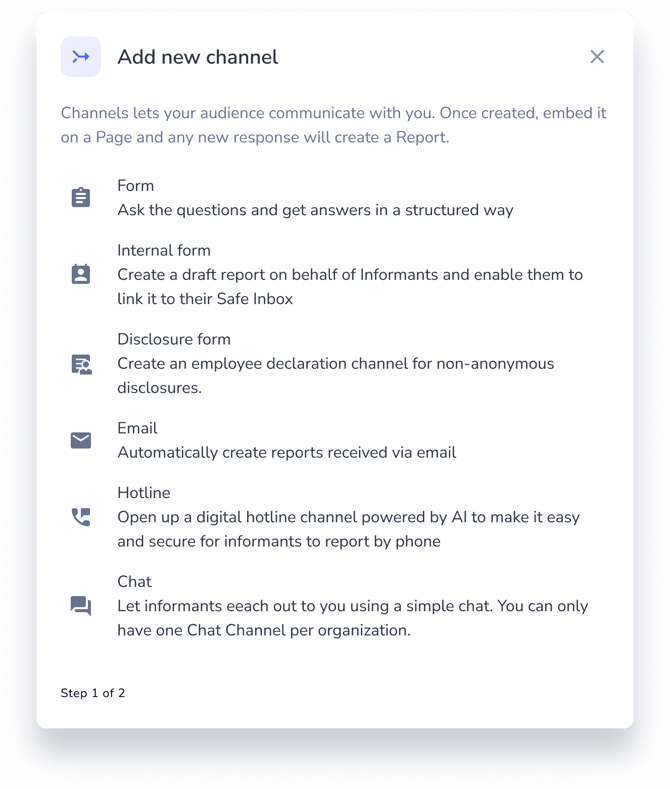
- Go to your channels and select Add new
- Select Email.
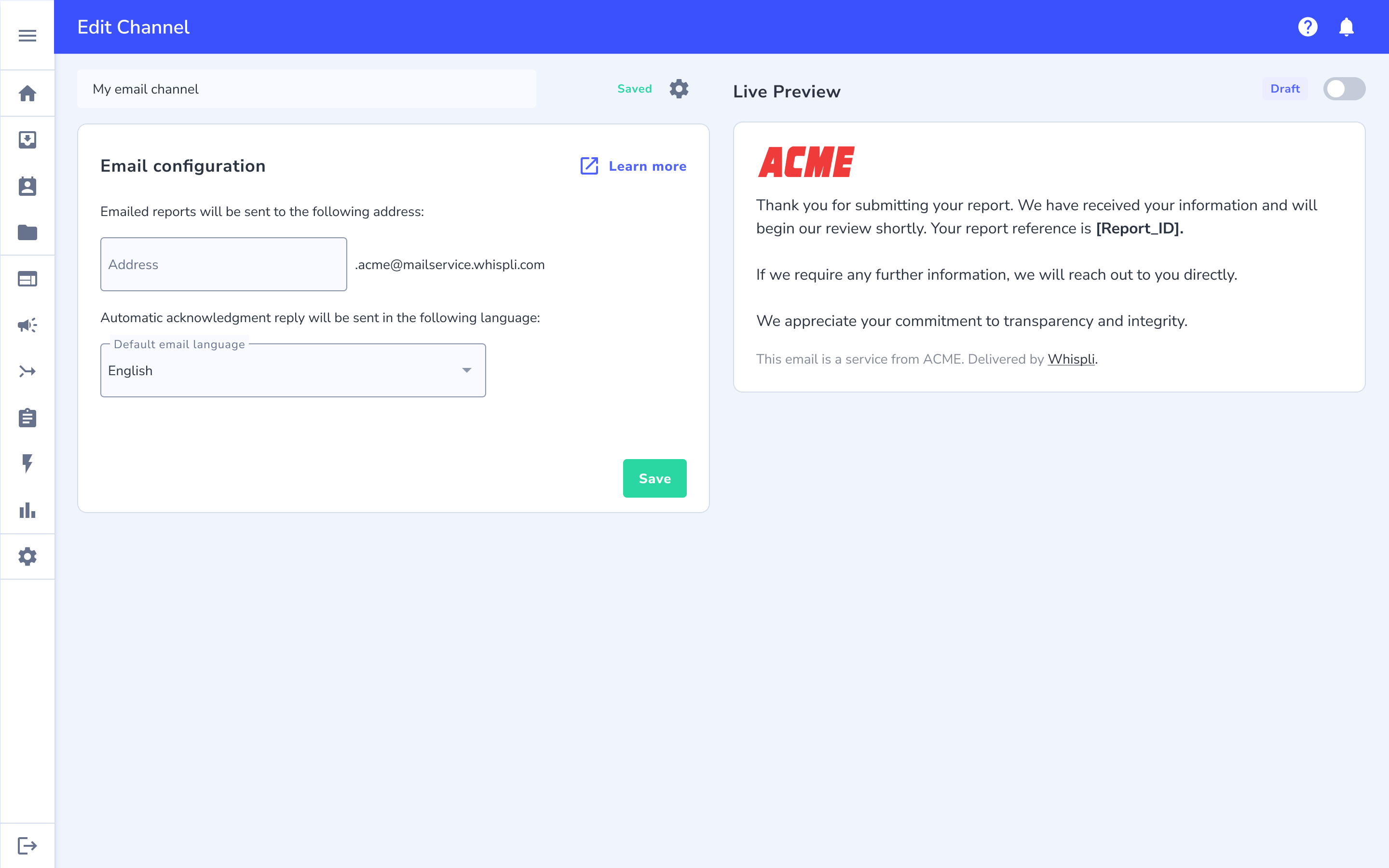
- Enter a channel name.
- Define the reporting address details.
- Choose the language of the automatic reply.
- Review the live preview of the acknowledgement email.
- Set the channel live.
What happens next
- A new channel is in draft and accepts no email. Once it is live, each email to the address creates a submitted report.
- The report holds the sender, recipients, subject, message, and attachments. Whispli converts HTML to text and removes scripts, styles, tracking pixels, and remote images.
- Whispli sends an automatic acknowledgement with the report reference to the sender only.
- The report follows the routing, notification, and automation rules of the channel.
- The address cannot be changed after the channel receives its first email.
- The audit trail records creating, editing, activating, and pausing the channel.
- If you pause the channel, Whispli creates no report and tells the sender it could not process the email.
Troubleshooting
I do not see the Email option when I add a channel. The add-on is not enabled on your account. Contact your Customer Success Manager or support@whispli.com.
An email did not create a report. Open the channel page and check the list of rejected emails. It shows the time received, a masked sender address, and the reason. Whispli refuses automated mail such as auto-replies and bulk messages, spam, strict DMARC failures, and oversized emails. It also limits each sender to 10 reports per hour and each channel to 500 messages per hour.
The sender received a message saying the email could not be processed. The channel is not live. Set it live to accept emails.
An attachment is missing from the report. The attachment size limit is too high and the file could not be processed.